Friends: this morning while I was performing my ablutions, my kettle turned on - and by the time I reached the kitchen, there was boiling water ready for my coffee. How did I get here? Of all my projects that get sidelined and take forever to complete, is 13 years a record? Why can't I stop grinning from ear to ear even with no-one else around?
In part one of Kettle Quest, I went over early solutions for automating a kettle. In part two I found WeeKett, although it turned out to have fundamental faults. In part three I designed and installed a replacement comms board. Now all that remained was the firmware.
Firmware choices
I needed to decide what firmware to use, even if I didn't finish it right away. I needed to be confident in its ability to be updated over the air. That way I could seal up the kettle base once and for all and apply mains power to test its functionality.
One option was Tasmota, which I had already proved could communicate with the controller. This would simply pass through Tuya commands from Home Assistant, but would be very raw and expose a bunch of disparate entities with no cohesion between them, due to the shoddy design of the underlying datapoints. The logic would have to be in an unenforceable abstraction within HA itself. For example, there are Tuya dpIds for both Celsius and Fahrenheit setpoints. There is no link between the two except inside the controller itself. But Tasmota would expose two independent entities to HA. I would rather the device present a unified, simplified interface itself.
I could use ESPhome, where I can put some logic on the device, but it seemed to be configured entirely with YAML so I wasn't sure how flexible it can be. But using lambdas with code, I should be able to abstract away from the underlying implementation of the Tuya protocol and, for example, present a single "setpoint" entity to HA or even, since the latest release, an actual water_heater.
Or I could roll my own firmware. But with a number of firmware projects already on the go, I didn't really want to overcomplicate a fairly simple device when it didn't serve a unique purpose.
Choosing ESPhome
So I flashed ESPhome onto the device and tested OTA updates a little. As I do not replicate mDNS between subnets, this did require me to add use_address under the wifi config of the device descriptor (a weird choice of location, since that statement configures esphome's programmer itself rather than the firmware), but it worked fine, I could program the device and see logs.
I sealed up the device and applied mains, and the datapoints started changing once I put the kettle on the base - the "problem bitfield" changed from 0x02 to 0x00, and the current temperature started showing values. Splendid.
ESPhome build speed
I must say this was the most tedious part of this, as it turns out ESPhome uses PlatformIO under the hood, and I already know how awful PlatformIO is, not being able to do even the basic mtime and dependency checking that compilers have had for years, and insisting on recompiling absolutely everything when only minor changes are made.
Compounding the problem was that ESPhome insists on having its .esphome transient build directory inside the /config configuration directory exposed to the host, so all file I/O was going over the WSL2<>Windows boundary at a remarkably slow pace.
All told, it would take about 10 minutes to compile after making a minor change to an existing configuration stanza, or a full hour if PlatformIO decided the whole thing needed recompiling, such as when I added a new sensor. I eventually resolved this by mounting /config/.esphome inside WSL2, but this does mean I can now only control Docker from inside a WSL2 session, otherwise if I start the container from VS Code or from Docker Desktop, it quietly fails to mount and creates a whole new .esphome and starts from the very beginning downloading all the dependencies again.
ESPhome configuration
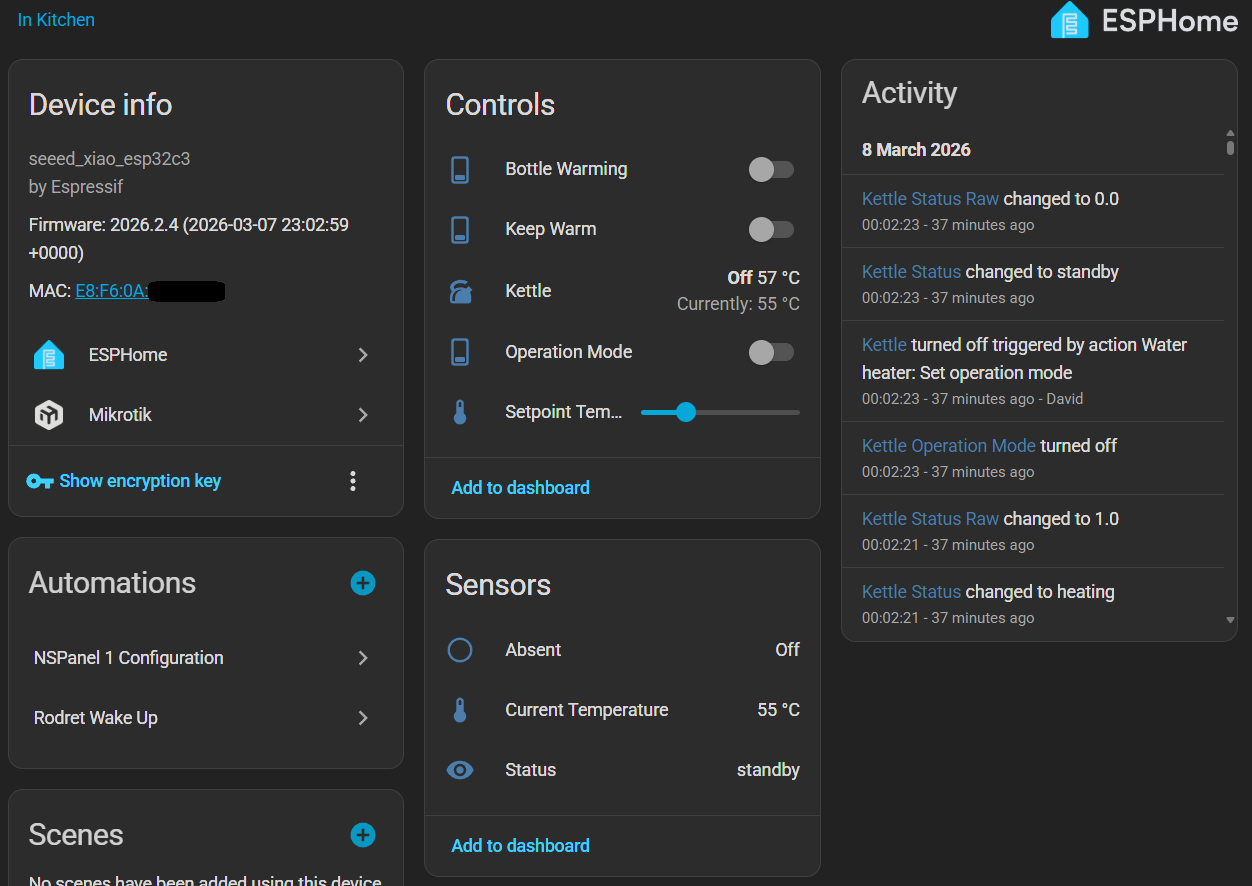
Thanks to work already done by Tuya Local identifying the datapoints, it was a relatively simple affair to create direct parallels for all of them in ESPhome, and a configuration that replicates all the datapoints as individual HA entities can be found in the first config iteration.
Ultimately, I didn't want every datapoint presented as an individual entity in Home Assistant, but this was enough for me to change a setpoint and issue a boil command... and the kettle boiled!
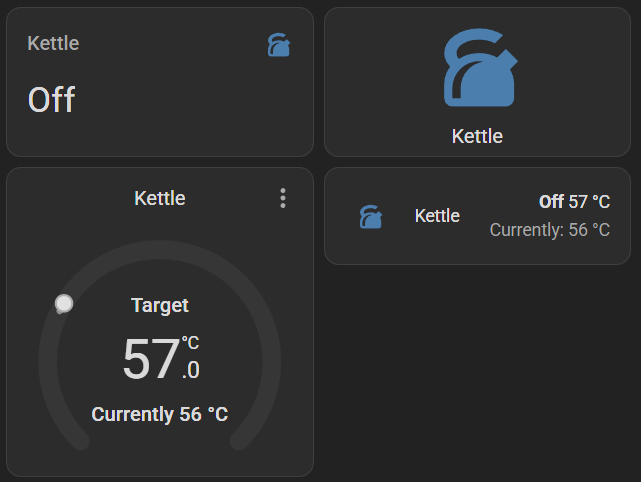
Next step was to turn it into a water_heater to present a single unified entity to Home Assistant, so I could remove the individual entities that would then become unnecessary. Unfortunately, water_heater in ESPhome seems to have only just been added, and still has a number of bugs, and doesn't work quite how I want:
- I have to use lambdas to return the current states, and it seems rather pointless for ESPhome to have to continually poll when I can just publish from Tuya events, but if those lambdas don't exist, ESPhome stops advertising the device's functionality.
- You can't get the intended state from the set_action if optimistic is off, and optimistic really ought to be off so things reflect the device's true state (bug #14590).
- The target temperature step is ignored and HA lets you set in 0.5°C increments (bug #14602). I want to set this to at least 1 to reflect reality, but preferably 5, so a load of unnecessary events aren't delivered over Tuya.
- It doesn't advertise that it can be turned on and off to Home Assistant, so you can only turn it on by setting its operating mode to ELECTRIC, which is clunky and gives a terrible user interface (bug #14605).
So the config is still a work in progress, but I've published it on Github (with the individual entities still enabled for now).
Screenshots
The device with all non-diagnostic entities:
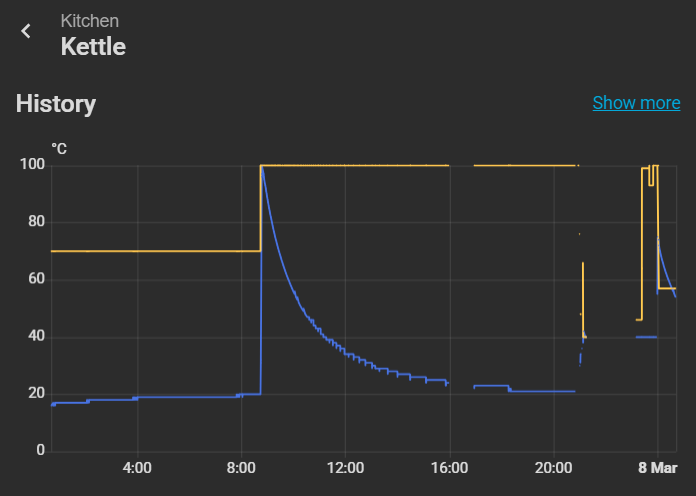
Graph of temperature (blue) and setpoint (yellow):
Dashboard options (an entity, a button, a climate entity, and an entity list):
But most importantly...
A new day dawns
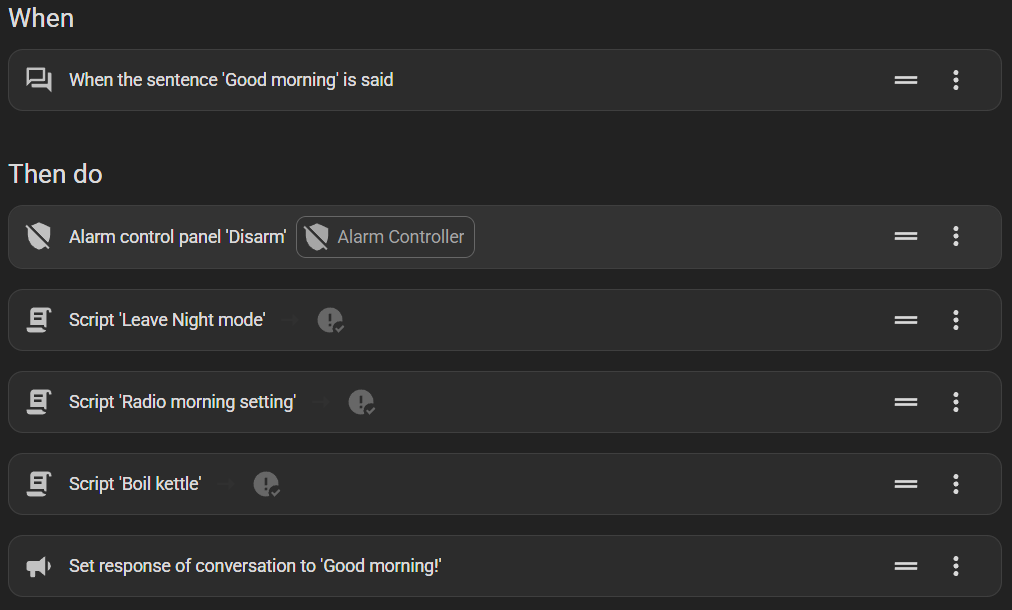
This morning I woke up and said "OK Nabu, good morning!" like I always do. She wished me good morning back, and while I was brushing my teeth, she not only turned off the alarm, turned on the radio, and adjusted settings like every day - she also started my kettle boiling. And by the time I got to the kitchen, there was hot water ready for my coffee.
And I haven't stopped grinning all day.
There's nothing like completing something that's been on your quest log for thirteen years.
Was it worth it? Yes, I think so. If this solution lasts only five years, according to XKCD 1205 I quoted in part one, it is worth it if it took less than 73 hours, or 9x 8-hour days. I'm certain it took a lot less than that, if one ignores the waiting time between deliveries. Along the way, I relearned a lot about PCB design and embedded systems, and already have several other automation projects underway.
Would I recommend it to someone else? Probably not this specific one unless they already had a WeeKett. Now I have it operational again, I am reminded just how bad it is as a kettle. The lid doesn't quite close properly, and the eject button is stiff. It has no boil-dry protection or even detection that I can use in an automation, which is dangerous. And it boils slower than my manual kettle. Keep warm, bottle warming, even setting any temperature except 100°C are all worthless features for me.
If I were doing it all over again, I'd probably still use an ESP32 and make my own PCB. I just would have bought an electric kettle with a button in its base and wired into the boil button. Which I first tried to do back in 2015. I'd just be more careful not to electrocute myself this time.
Why there still aren't more smart kettles around, I don't know. Today, I can buy a hundred different home automation sensors and actuators, but still only one kettle. Perhaps they're less prevalent because they're mains-powered and control a huge heating load and there's a lot more risk if something goes wrong - but then we have several air fryers.
Or perhaps I'm the only one who cares.
OK Nabu, boil the kettle.